

Screenshot or recording
Capture the visible state and replay the issue.
Stepix is a bug-reporting tool for QA teams and developers: capture a screenshot or screen recording, and get a report with reproduction steps, console logs, network requests, and environment details attached automatically.

Evidence collected while the bug happens
Screenshot, recording, steps, logs, network, device
The page follows the exact workflow your user goes through: discover the issue, capture it, review the report, and share the safest version.

Stepix starts with the real browser state: the URL, the failed payment, and the precise moment that usually gets reduced to a vague screenshot.
The context stays attached.
Live browser state
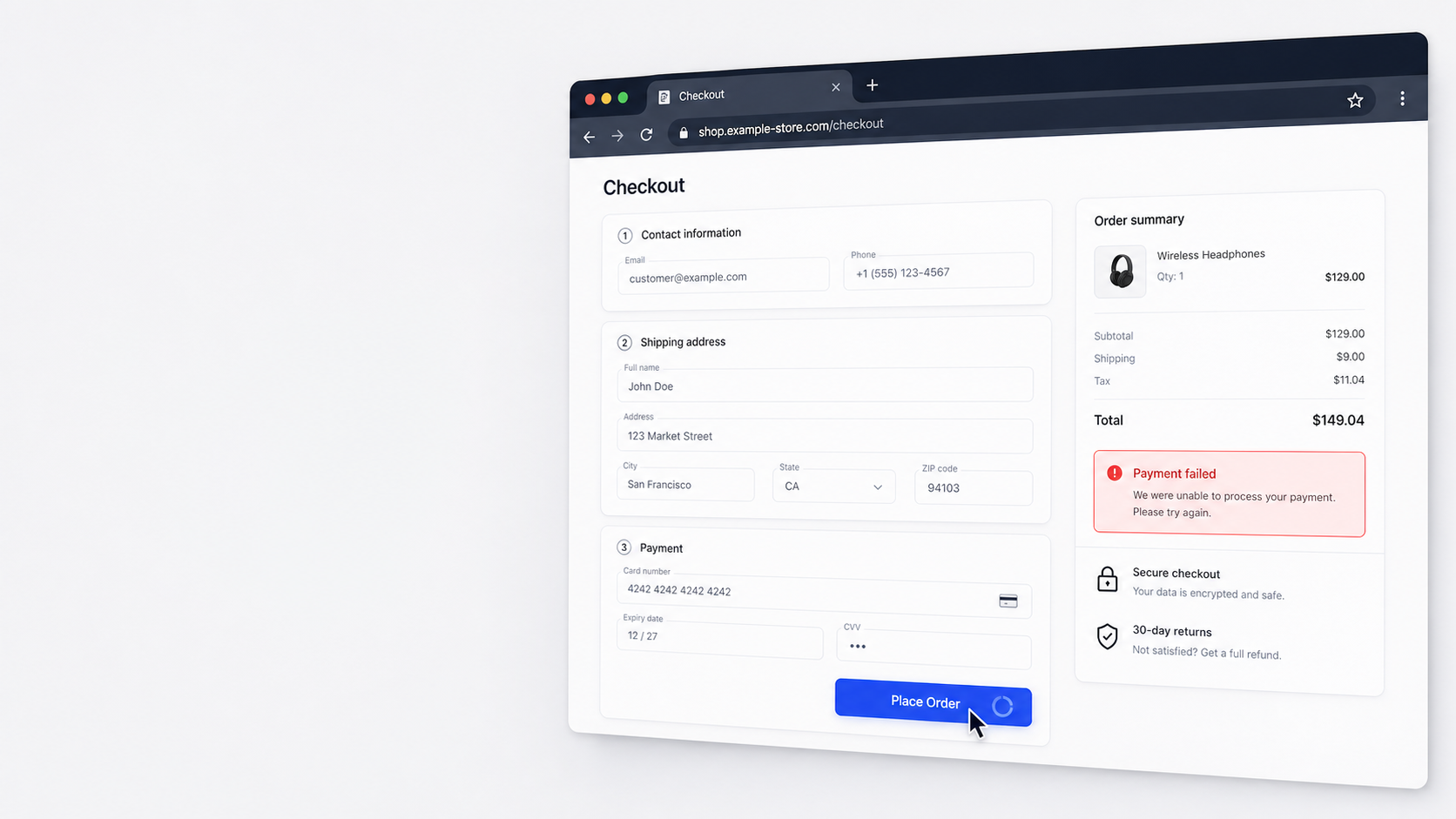
The user captures a screenshot or records a short video. Stepix quietly attaches the click trail, screenshot, device, console, and network signals.
No form chasing. No manual evidence gathering.
One browser action
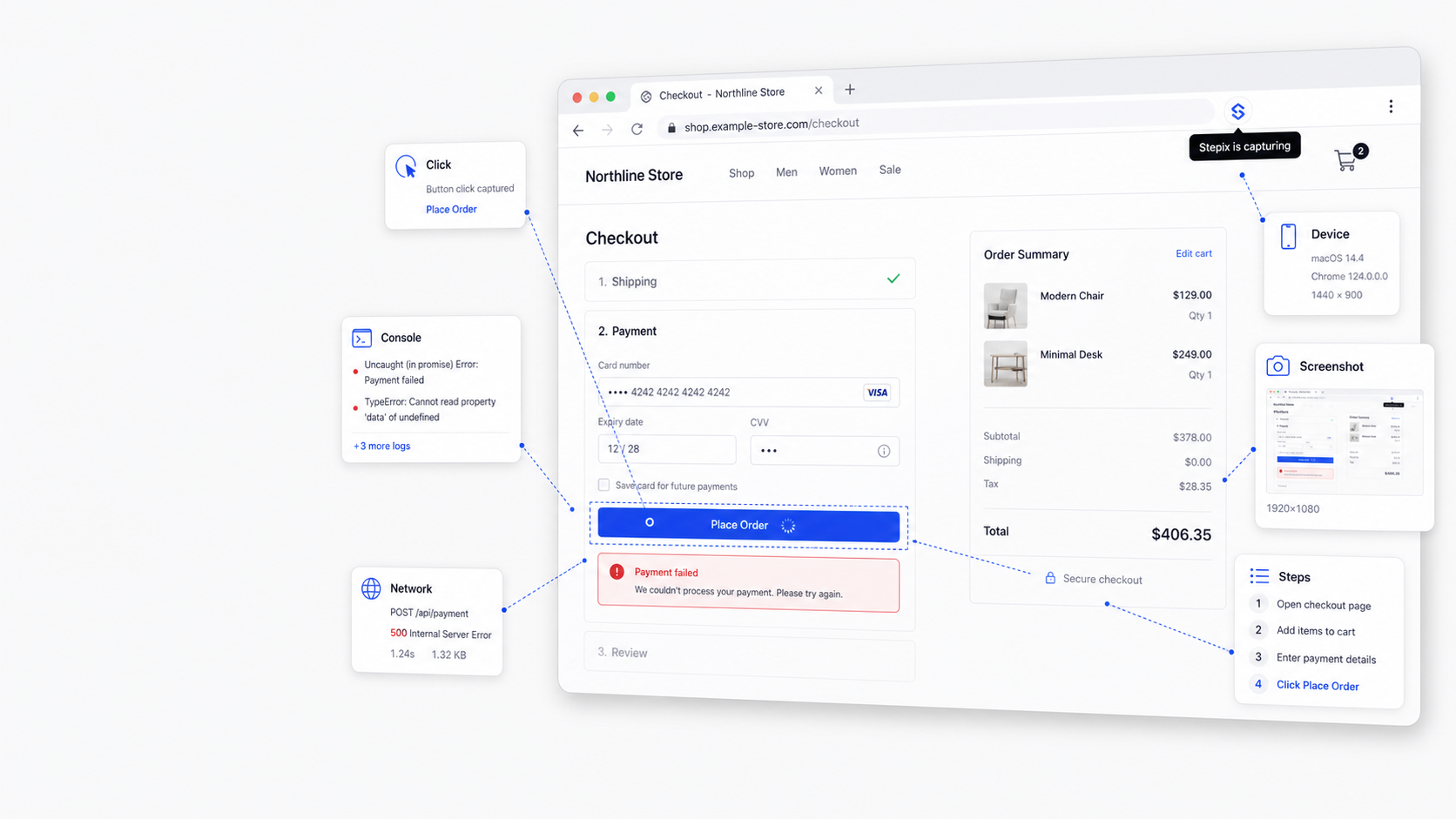
Console errors, failed requests, device details, and the user trail are packaged into a single report structure before the team loses the thread.
The story and the technical evidence meet.
Auto-assembled
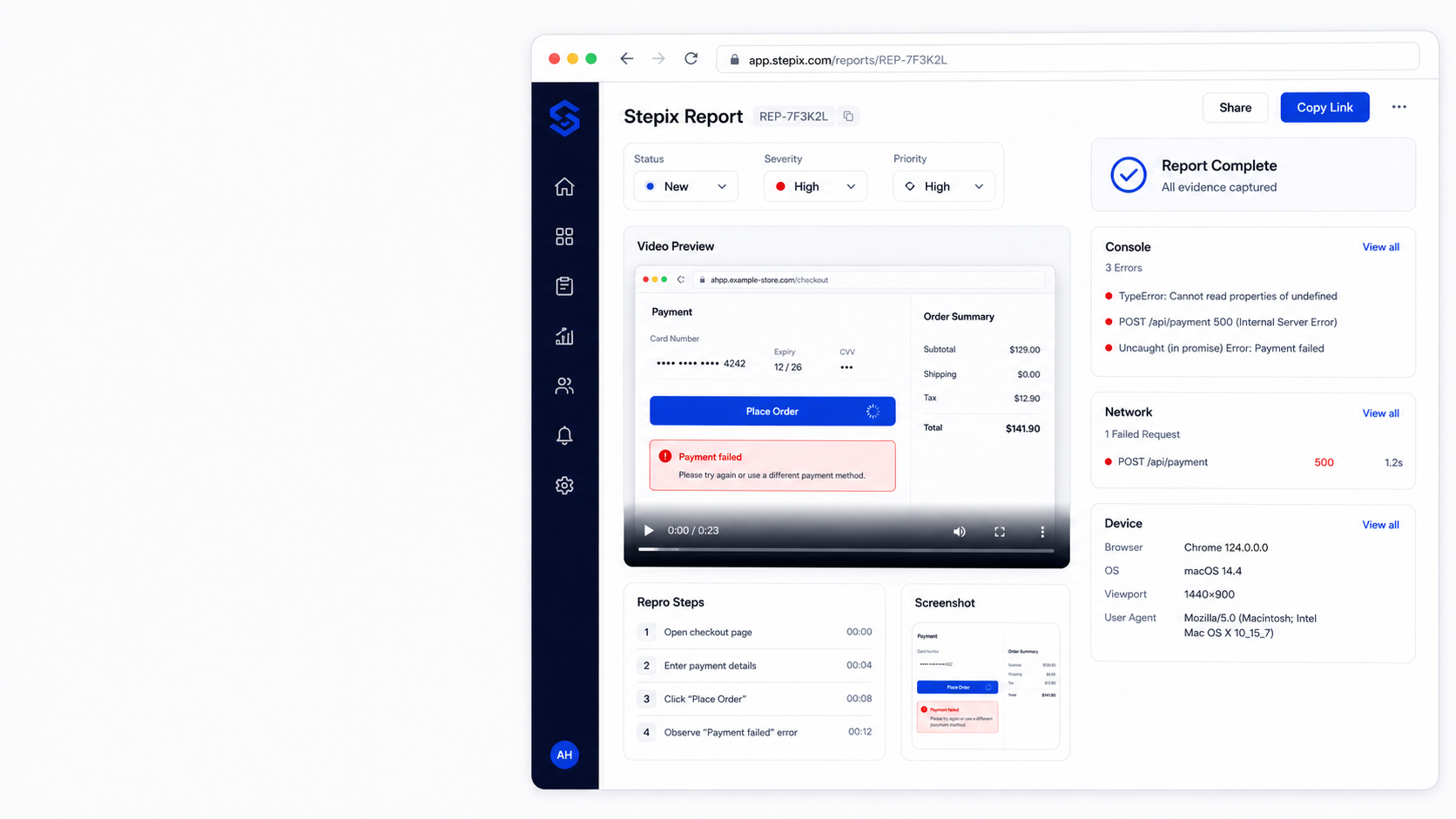
Severity, priority, video replay, repro steps, screenshot, console, network, and device details sit together in one focused workspace.
Review once, then send with confidence.
Debug-ready report
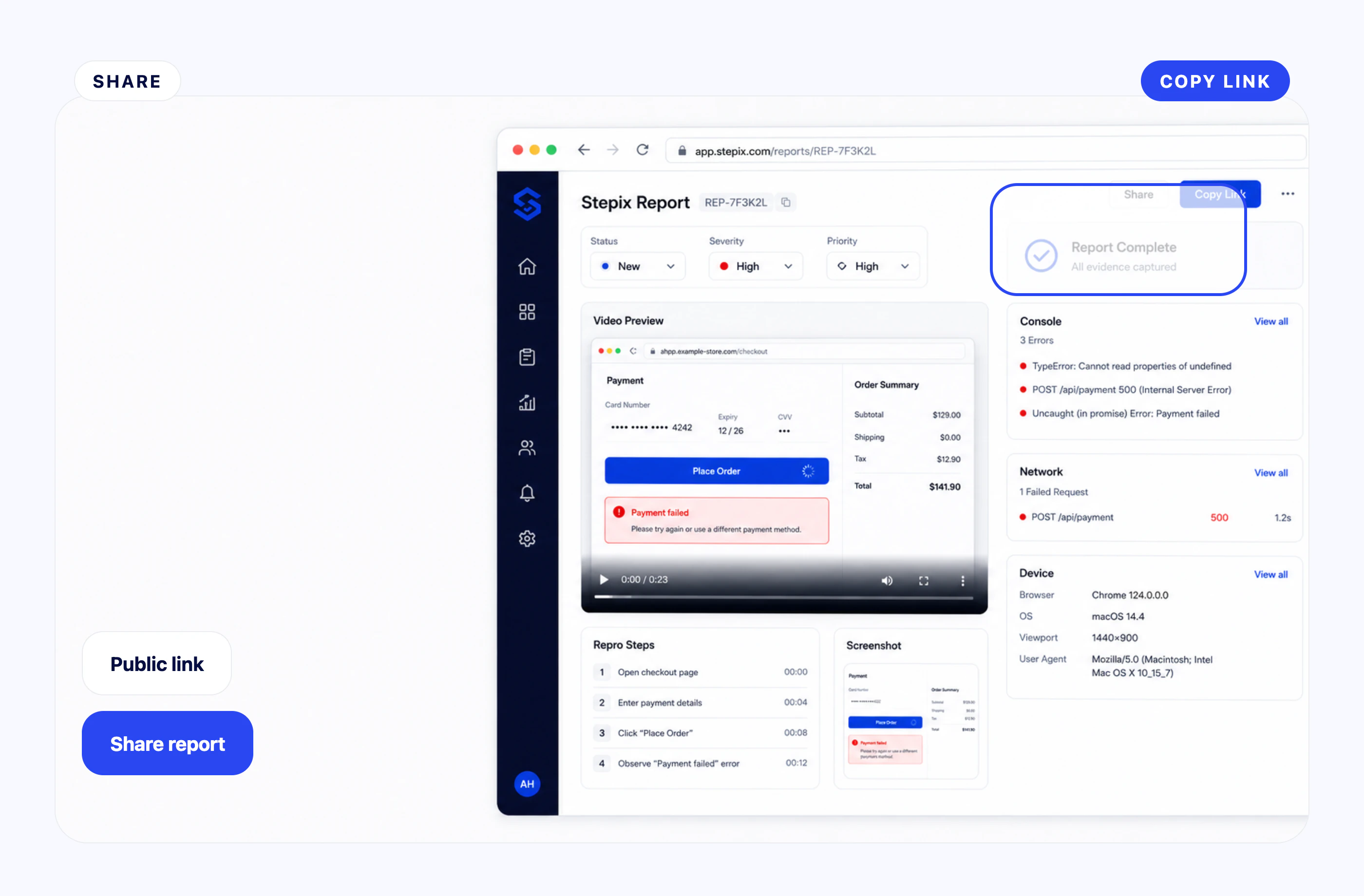
Share the report with engineers, support, or stakeholders while controlling whether technical evidence is visible on the public link.
The recipient sees exactly what they need.
Controlled visibility
Stepix keeps the report tight, but the evidence underneath is complete enough for engineering to reproduce and debug.
Capture the visible state and replay the issue.
Clicks, inputs, and navigation become a timeline.
Errors and warnings stay attached to the report.
Failed requests and response status are visible.
Browser, OS, viewport, and URL are recorded.
Media is stored privately and shared intentionally.
Install Stepix, capture the issue, and move from vague bug report to useful debugging evidence in one short path.